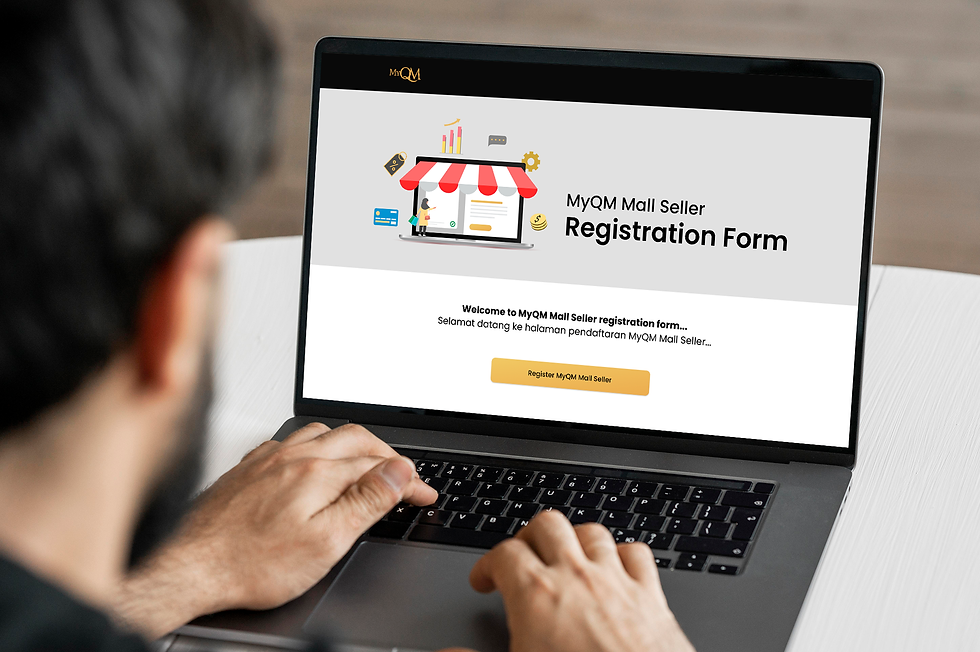
Seller Registration website serves as a portal for registering as a seller on MyQM Mall.

Overview
Product Live website & webapp
Role Ui/ UX Designer
Duration 2 weeks
Year 2024
Team Ui/ UX Designer, Product manager, CMO, IT team
Tools Figma
Objectives
The primary objectives are to create a portal:
-
clear wayfinding and navigation
-
simple and intuitive
-
adapt to a variety of screen sizes and device type (website and mobile view)
Design process
Research
Design development
Design production
Live
-
Study design brief
-
Competitive analysis
-
Prepare design options- wireframe
-
Presentation to product and managemant
-
Design revision
-
Presentation to IT team
-
Developers develop the website in Wordpress
-
Design revision
The design process starts with curating important information for registration based on MyQM’s management requirements and the sellers’ business needs.
Next, a competitive analysis is conducted, focusing mainly on local e-commerce platforms such as Shopee and Lazada.
Then, a design proposal is developed based on the finalized data.
Information architecture
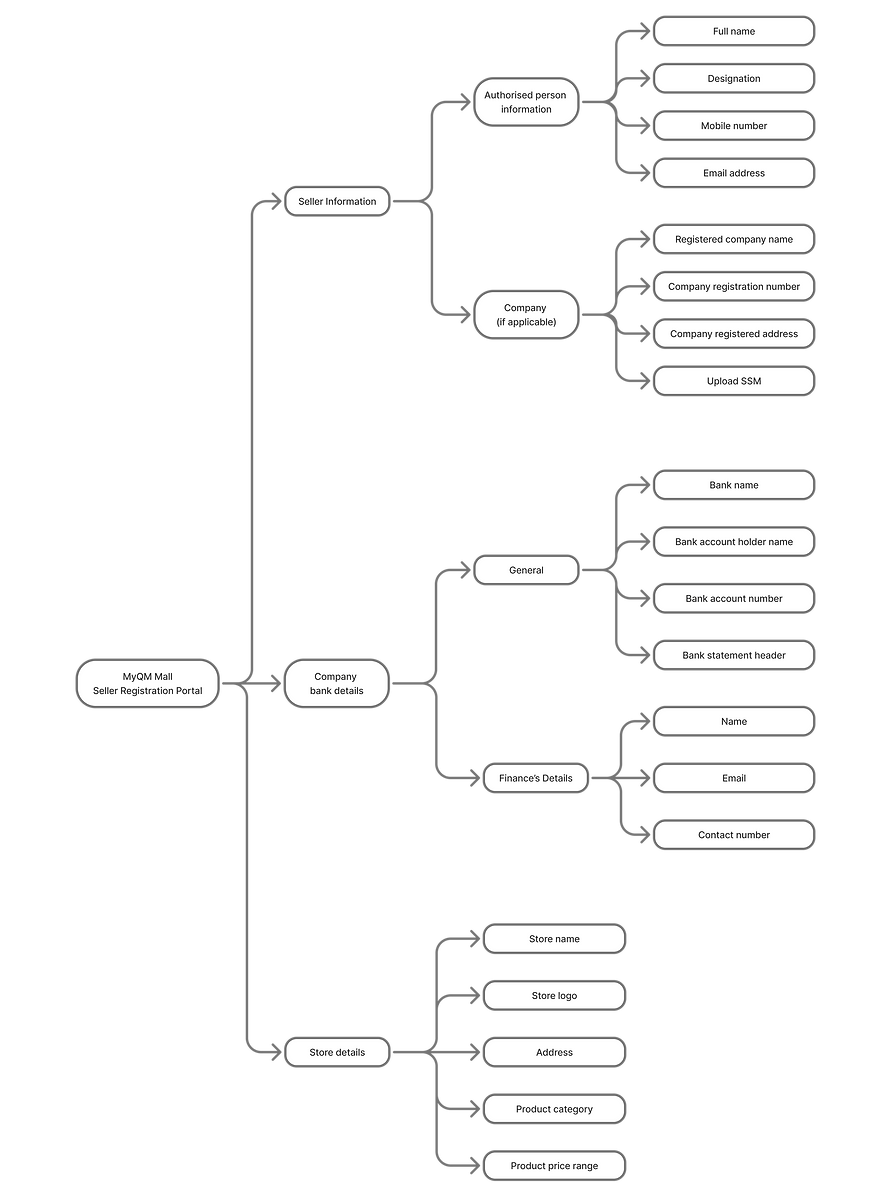
The registration process begins with the seller providing their personal information, including their name, address, contact number, and bank details. Next, the seller must submit details about their store, such as the store name, store address, details of the person in charge (PIC), product categories, and price range.
Once all required information has been completed, the seller can submit the form. The admin team will then review the application, and an email will be sent to the seller with the outcome.
Branding
Although the gold colour embodies the company’s branding, for this registration form we have introduced a monochrome colour scheme to focus the user’s attention on the content by simplifying the visual experience and reducing distractions. This approach helps users concentrate on the message and content, rather than being overwhelmed by a multitude of colours.
Colours

Neutral - white
#ffffff

Neutral - light grey
#c4c4c4

Neutral - dark grey
#7e7e7e

Neutral - black
#111111
Font
Poppins
Light
Medium
Bold
Ui kits
Design features
General
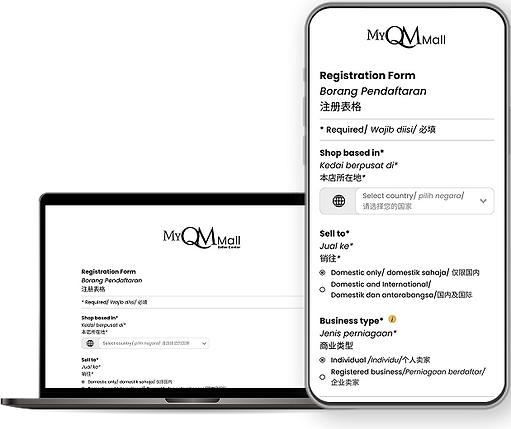
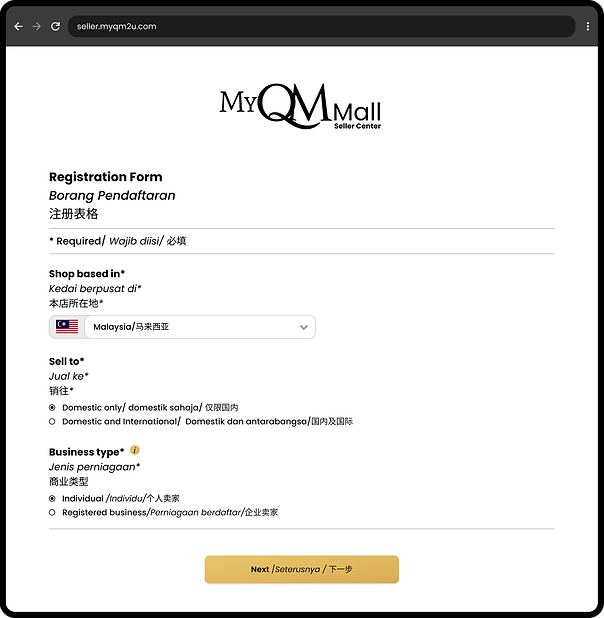
The registration process begins with the seller keying in the store’s location, target market, and business type.

Seller Information
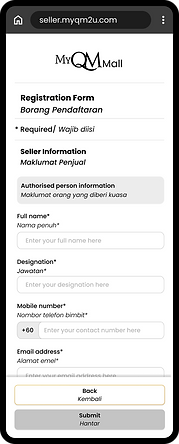
Then, the seller is required to fill in their personal information, including their name, address, contact number, and bank details.

Store details
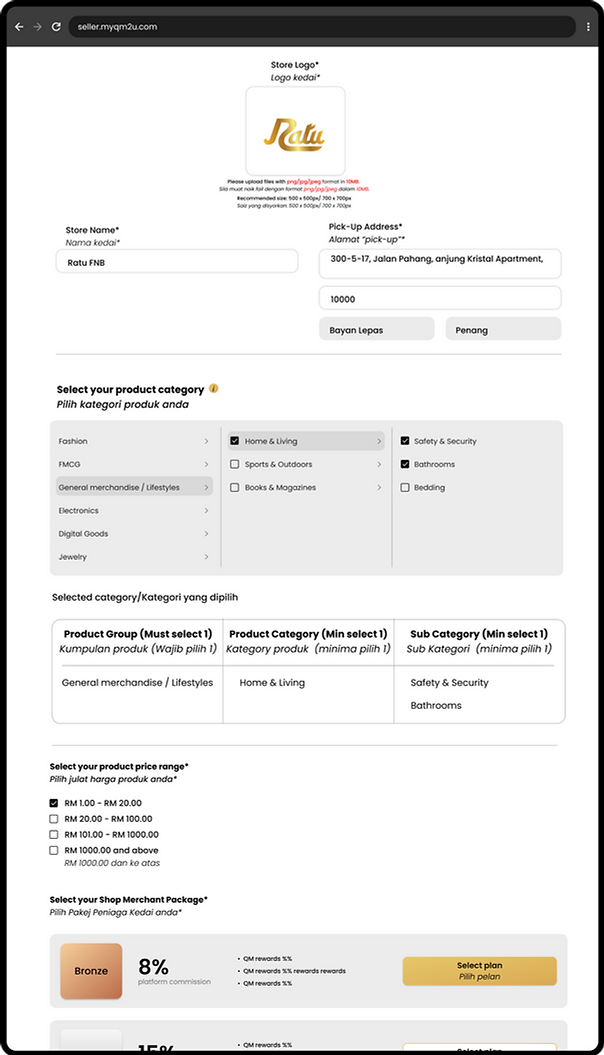
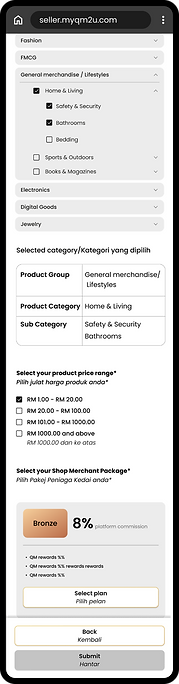
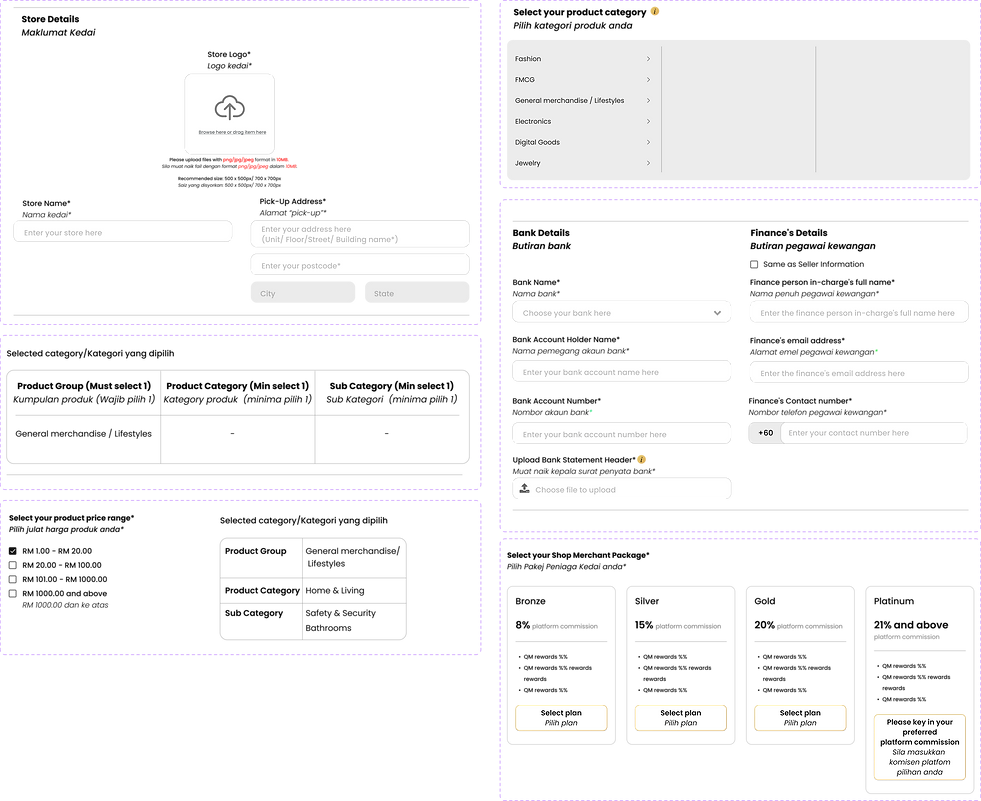
Finally, store details — such as the store name, store address, details of the person in charge (PIC), product categories, price range, and Shop Merchant Package —
need to be provided by the seller to proceed with the application submission